Blue Letter Bible
- 4.6
- Rating
- 1.00M
- Installs
- Free
- Price

 Analysis by App-foxy
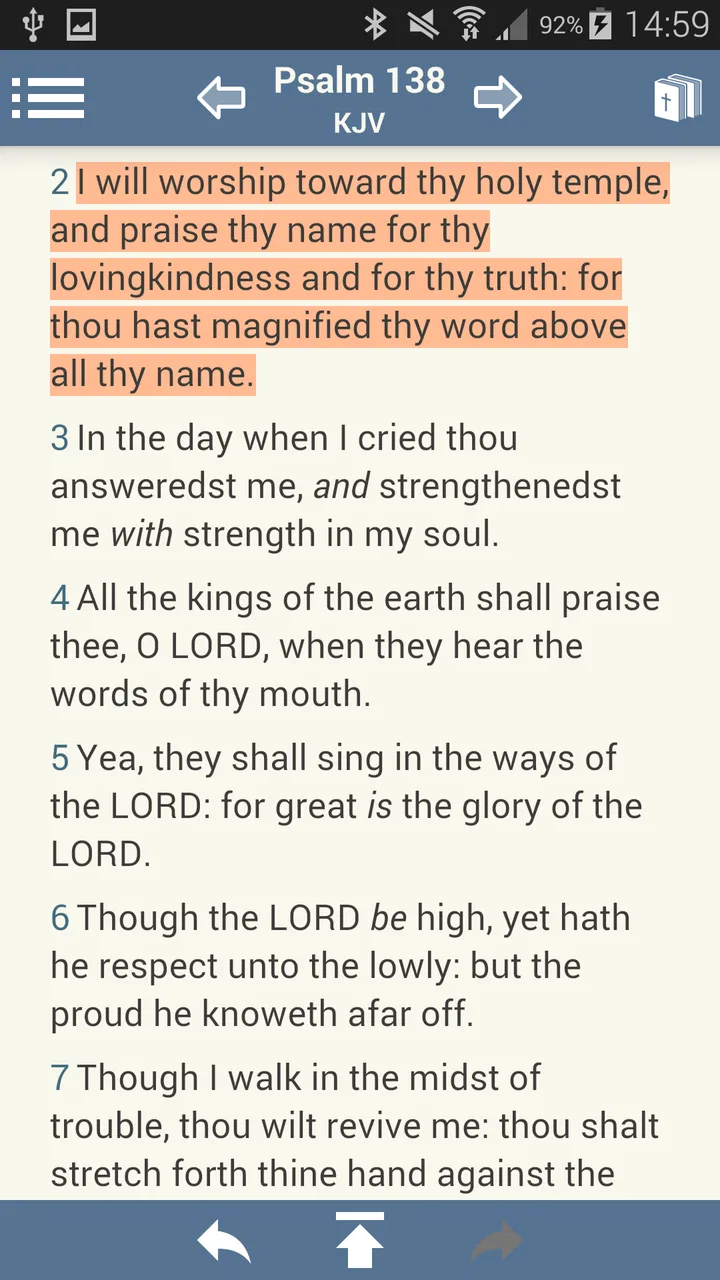
I approached Blue Letter Bible as a reading app first, but its real value appears when reading turns into study. The central idea is simple: open a Bible passage, then move from the verse itself into supporting study tools without having to leave the reader and search through several unrelated resources. That connection changes the experience from casual reading to a more deliberate investigation of wording, context, and interpretation.
It is a free Books & Reference app from Blue Letter Bible, available for Everyone and requiring Android 8.0 or later. The current version is 1.86.29 build 2069. I think those details matter less than the way the app handles a common study problem: finding useful background while a verse is still fresh in your mind.
Why the verse-linked study approach matters
Many Bible apps are excellent for getting to a passage quickly. They let me search for a reference, continue a reading plan, or listen to text, depending on the product. Blue Letter Bible takes a different emphasis. Its strongest capability is the way study material is attached to individual verses inside the reading experience.
You May Also Like

 Blood Strike: 2.5 Anniversary
Blood Strike’s Loadouts Turn Every Drop Into a Tactical Gamble
A close look at Blood Strike’s custom loadouts: how fast access to signature weapons reshapes its battle royale rhythm, rewards preparation, and narrows the gap between fights.

 Pandora - Music & Podcasts
Pandora’s Music Is Easy to Start, but Harder to Recover
Pandora’s strength is its low-effort path from a seed to a station. Its weak spot is how much confidence it asks you to place in connection, setup, and quiet recovery.

 8 Ball Pool
 Is Built on Rivalries, Rematches, and Routine
A close look at the rivalries, rematches, shared routines, and unanswered safety questions that turn a quick pool match into a persistent mobile community.

 Samsung Music
’s Quiet Strength Is Playing What You Already Own
Its reach comes less from spectacle than from dependable access to a personal library. That simplicity is both the app’s strongest retention engine and its ceiling.

 AccuWeather: Weather Radar
AccuWeather Review: A Quick, Clear Forecast for Everyday Decisions
For everyday plans, the best forecast is the one you can understand quickly. AccuWeather makes rain timing, radar, and local conditions easy to act on, with a few trade-offs.

 Hill Climb Racing
Why Hill Climb Racing Still Turns Crashes Into One More Run
A tiny car, a bumpy hill and one more upgrade: Hill Climb Racing keeps resurfacing because its simple chaos makes every near-miss feel personal.
More From Our News Desk



That sounds like a small convenience, but it affects how I read. Instead of copying a reference into a separate browser search, opening another commentary site, and trying to remember which verse I was investigating, I can stay close to the passage. The verse remains the anchor, while the additional material becomes a next step rather than a completely separate task.
The best reason to use this app is not simply that it contains Bible text; it is that the verse acts as the doorway to deeper study. That makes it especially useful when a phrase feels unclear, when several translations seem different, or when I want to slow down and examine a passage rather than move through it quickly.
The app has earned a 4.6 average from around 18 thousand ratings, with roughly 5.9 thousand written reviews, and it has passed the one-million-install mark. Those figures suggest that it has found a substantial audience, but they do not replace personal fit. A person who wants a very quiet reading tool may find the study focus more involved than necessary, while someone who regularly asks “what does this word mean here?” will probably appreciate the extra depth.
What happens when I study a passage
My usual workflow is to begin with the passage I already intended to read. I do not start by opening every available reference tool. That is important because too many options can turn reading into browsing. I first read the surrounding verses, then use the verse-linked resources only when I have a specific question.
For example, if a sentence seems familiar but its wording feels difficult, I can treat that verse as a study point. The app’s design encourages a movement from reading to examination: the text gives me the immediate context, and the linked tools give me ways to investigate it. This is more useful than looking up an isolated phrase with no sense of what comes before or after it.
The approach also works well for comparing how a passage communicates an idea. Rather than making a separate note that says “look this up later,” I can explore while the question is still clear. That reduces the small interruptions that often cause study sessions to lose momentum.
There is a tradeoff, though. A connected study screen can invite me to open one more resource, then another, until the original reading goal disappears. I recommend deciding what question I am trying to answer before opening the deeper tools. If the goal is prayerful reading, I may stay in the text. If the goal is word study or interpretation, I can follow the links with more purpose.
A practical evening study routine
One realistic use is a short evening session after work. I might choose a chapter, read it once without interruption, and mark one verse that deserves attention. On the second pass, I use the study material connected to that verse. I then write a brief personal note elsewhere or in a notebook, summarizing what changed in my understanding.
The important part is the order. I am not allowing the reference material to tell me what to notice before I have read the passage. I read first, identify the difficulty myself, and then use the app to investigate. That makes the feature feel like a tool for disciplined reading rather than an endless collection of explanations.
This routine is also practical for someone preparing a small group discussion. I can read the whole section, choose a verse that may prompt questions, and examine it before the meeting. The app is most helpful when I use it to prepare focused questions, not when I expect it to produce a complete discussion automatically.
Another useful habit is to compare the immediate verse with its neighbors before opening study material. A line can sound very different when removed from its paragraph. Blue Letter Bible makes deeper investigation convenient, but convenience should not replace context. The strongest results come from using the linked resources after I understand the passage’s basic flow.
Where the app is especially strong
The app suits readers who want more than a daily quotation but do not want to assemble a personal library of separate tools. Its verse-centered structure gives a clear path from the text to study. I find that particularly valuable for people who are beginning to learn how to study independently and need an obvious next step after reading.
It can also help experienced readers who already know what they are looking for. Instead of treating the app as a general reference shelf, they can use it as a fast launch point for a particular verse. The benefit is not that every question becomes easy. The benefit is that the question starts in the right place and the study process stays connected to the passage.
For teachers and group leaders, the app can support preparation without requiring a large desktop setup. A phone is not always the best environment for long-form research, but it is convenient for checking a verse while planning a conversation, reviewing a passage during a commute, or following up on a question that came up during a meeting.
I would be more cautious about recommending it to someone who wants a minimalist reading experience with no visible temptation to investigate. A dedicated e-reader or a simpler Bible reader may feel calmer for that purpose. Blue Letter Bible is designed around study, so its greatest strength can become a distraction when I only want to read a few paragraphs and stop.
How it compares with ordinary Bible apps
The usual Bible app is often built around speed and routine: search, open, read, and return tomorrow. That model is convenient, especially for people following a schedule. Blue Letter Bible feels more appropriate when the reading session includes questions that need attention.
Compared with a web search, the app’s advantage is continuity. A web search may produce many pages, uneven explanations, and unrelated results. Starting from the verse keeps the investigation narrower. I still need judgment, because linked material is not a substitute for careful reading, but I spend less time reconstructing which passage I was studying.
Compared with a printed study Bible, the app is easier to carry and more flexible for quick investigation. A printed volume can be less distracting and more comfortable for long reading, while the app is better when I want to move from a verse into supporting material immediately. I see them as different tools rather than direct replacements.
Compared with a general note-taking app, Blue Letter Bible gives the study process a biblical-text structure from the start. A notes app can store observations, but it does not naturally place the verse and its study path together. On the other hand, readers who already have a carefully organized research system may prefer keeping everything in one familiar workspace.
The friction I noticed during deeper use
The main limitation is not a lack of usefulness; it is the risk of overload. A reader who opens the app expecting a straightforward page may need time to understand which study option is relevant. The more curious I become, the easier it is to lose the original purpose of the session.
That is why I would not judge the app only by how many resources I can reach. The real question is whether the tools help me answer a defined question. When I use them selectively, the experience feels focused. When I open everything out of curiosity, the session becomes slower and less reflective.
Phone reading also has natural limits. A small screen is convenient for a quick lookup, but it is not as comfortable as a larger screen or printed book for extended comparison and note-taking. Someone planning a long academic study session may prefer a computer, physical references, or a combination of tools. The mobile app is strongest for access and continuity, not for replacing every form of serious research.
There is also a learning curve in knowing how much interpretation to bring into a reading session. New users may assume that opening a study resource ends the question, when it should really begin a more careful evaluation. I recommend checking the surrounding passage, considering the purpose of the reading, and writing down the question before exploring further.
Small workflows that make it more useful
My first tip is to use a two-pass method. Read the passage once with the study tools closed. On the second pass, choose only the verses that raised a genuine question. This prevents the app’s strongest feature from interrupting every line.
My second tip is to separate observation from interpretation. I first note what the passage actually says, then use the linked study material to explore meaning and background. That distinction is easy to lose in a feature-rich app, but it leads to more honest conclusions.
My third tip is to use the app for preparation rather than last-minute information gathering. If I have a group conversation coming up, I can investigate one or two key verses in advance and arrive with specific questions. That is more productive than opening the app during the discussion and trying to process everything at once.
A fourth useful approach is to treat difficult wording as a prompt for patience, not as a problem that must be solved immediately. Sometimes the best result of a study tool is realizing that a passage needs more context. Blue Letter Bible makes investigation available, but it does not force me to reach a rushed conclusion.
Who will get the most from it
I think Blue Letter Bible is a strong match for readers who want their regular Bible reading to develop into study. It is especially suitable for people who frequently look up words, compare passages, prepare discussion questions, or want a more guided path from a verse to supporting material.
It is also a sensible choice for someone who wants a free resource rather than paying for a specialized reference collection. The free price removes the biggest barrier to trying it, and the Everyone age rating makes it broadly accessible for households and study groups.
Beginners can benefit from the clear connection between a verse and the tools around it, but they should start slowly. I would begin with one passage and one question instead of opening every option immediately. That makes the app easier to learn and keeps the experience from feeling like a research assignment.
More advanced readers may appreciate the efficiency, although they may still want other resources for extended writing, detailed citation, or larger-screen comparison. The app can be part of a serious workflow without needing to be the entire workflow.
I would skip it if my only goal were an uncluttered reader for brief daily visits. In that situation, a simpler Bible app may be more relaxing. I would also look elsewhere if I needed a full desktop research environment or a highly customized note system. Blue Letter Bible’s identity is clearer than that: it brings study tools close to the verse and makes them practical on a mobile device.
My final view after using the study-centered design
Blue Letter Bible succeeds because it focuses on a real reading problem: questions appear while I am looking at a passage, and switching between unrelated resources breaks concentration. By placing study tools alongside the verse, the app gives those questions a direct place to go.
That convenience does not make interpretation automatic, and it does not remove the need for context or personal judgment. In fact, the app works best when I use it with restraint. Read first, identify the question, explore the relevant material, and then return to the passage. That simple rhythm turns the feature into a useful study habit.
With more than one million installs, a 4.6 average rating, and a free download from Blue Letter Bible, it is an easy app to try for anyone who wants to move beyond basic reading. My recommendation is strongest for curious readers, group leaders, and people building a consistent study routine. If I wanted only a plain page of text, I would choose something simpler; if I wanted verse-connected investigation without carrying a shelf of books, this is a thoughtful and practical option.
FAQs for Blue Letter Bible
01What is Blue Letter Bible and what features does it offer?
Blue Letter Bible is a comprehensive app designed for in-depth Bible study. It offers features such as multiple Bible translations, commentaries, audio Bibles, and Greek and Hebrew lexicons. Users can also access a range of study tools like cross-references, devotionals, and maps, making it a valuable resource for both casual readers and serious scholars.
02Is the Blue Letter Bible app free to use?
Yes, Blue Letter Bible is free to download and use. It offers a wide array of features at no cost, although some additional resources might require an internet connection. Users can access most of its study tools and resources without any subscription or in-app purchases, making it accessible for everyone.
03Does Blue Letter Bible require an internet connection?
While many features of Blue Letter Bible, like downloaded Bible versions and basic tools, are available offline, an internet connection is needed for certain resources. This includes accessing online commentaries, audio Bibles, and some of the advanced study tools. Having an internet connection ensures you can use the app’s full capabilities.
04How user-friendly is the Blue Letter Bible app?
Blue Letter Bible is designed with user-friendliness in mind, offering an intuitive interface. However, due to its extensive features, new users might experience a learning curve. The app provides tutorials and support to help users navigate its various tools, ensuring a smooth experience as they explore its offerings.
05Is Blue Letter Bible available on both Android and iOS devices?
Yes, the Blue Letter Bible app is available for both Android and iOS devices. It can be downloaded from the Google Play Store for Android users and the App Store for iOS users. The app is regularly updated, ensuring compatibility with the latest operating systems and devices.
Pros
- Comprehensive language tools.
- Offline access available.
- Customizable reading plans.
- Strong community support.
- Cross-referencing features.
Cons
- Interface feels outdated.
- Limited audio options.
- Ads can be distracting.
- Can be overwhelming for beginners.
- No dark mode available.

Blue Letter Bible
Gallery